
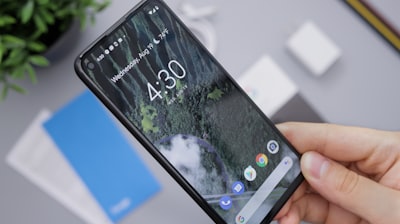
The accumulation of obsolete electronic devices is a global issue affecting both homes and businesses. Old smartphones, tablets, and monitors often end up in drawers or, worse, landfills. However, a new web platform called ScreenWall, developed by German software engineer Tuan Anh Bui, offers an ingenious and sustainable solution: turning those old devices into smart displays for home or office without needing to install any additional application. Simply scan a QR code or enter a six-digit code to turn any internet-connected screen into a customizable widget dashboard: clocks, weather stations, photo frames, status boards, or productivity indicators. Although ScreenWall is still in beta and free (with certain limitations on the number of widgets), it represents a fascinating use case for reusing legacy hardware—a concept that at Q2BSTUDIO, as a software and technology development company, we consider key to sustainable digital transformation.
ScreenWall's mechanics are surprisingly simple. The user creates a 'wall' (workspace) on the web platform, adds desired widgets—whether predefined (clock, flip-board, weather) or customized via JavaScript tweaks—and then pairs a device by scanning a QR code or entering a numeric code. The screen appears as a blue square on the wall, and you simply drag the widget onto that square to start displaying it. The browser keeps the screen awake using the Screen Wake Lock API, preventing the device from sleeping while the tab is open. This approach is elegant and democratizes access to information displays without requiring advanced technical knowledge. However, from a technical and business perspective, it is worth analyzing its limitations and how it could integrate with more robust solutions.
One of the main challenges identified in the beta is the loss of connection when closing the browser tab or restarting the device. If the user closes the ScreenWall tab, the device disconnects and must be re-paired, generating a new unique identifier. This can be chaotic in environments with multiple devices, such as a workshop or office where stable status panels are needed. Additionally, ScreenWall does not manage the device's 'do not disturb' mode; pop-up notifications can interrupt the display. For serious enterprise use, these limitations require an additional management layer that a simple web service cannot provide. This is where custom software solutions, like the ones we offer at Q2BSTUDIO, come into play: we can build native or hybrid applications that eliminate browser dependency, implement automatic reconnection, and offer full control over device behavior, including notification suppression.
Another aspect to consider is security and privacy. ScreenWall is a cloud-hosted service, meaning the displayed data (potentially sensitive information such as business metrics or personal data) travels through external servers. Although Tuan Anh Bui has announced his intention to release a self-hosted version for privacy-conscious users, for now trust rests on the service operator. At Q2BSTUDIO, we recommend that any deployment of smart displays in corporate environments be supported by a robust cloud infrastructure, such as cloud AWS/Azure, with strong security policies, encryption in transit and at rest, and possibly a cybersecurity architecture including firewalls and intrusion detection systems. Furthermore, for companies handling critical data, integrating a cybersecurity and pentesting service can be crucial to validate the solution before going into production.
Customization of widgets via JavaScript and connection to external data sources through JSON opens a range of possibilities. For example, you could display team performance indicators, CI/CD pipeline status, or even IoT sensor data. However, the lack of a robust backend to manage authentication, periodic data updates, and synchronization across multiple screens limits scalability. At Q2BSTUDIO, we develop Business Intelligence solutions (BI / Power BI) that enable real-time display of complex dashboards, which can be integrated with dedicated screens via secure APIs. Moreover, incorporating artificial intelligence (AI) allows for predictive panels or automatic summaries—something ScreenWall does not offer natively. It is even possible to create AI agents that analyze displayed content and suggest dynamic changes based on context.
From a technical standpoint, the dependency on the browser and the Screen Wake Lock API is a significant limitation for production environments. Modern mobile operating systems restrict access to certain APIs to preserve battery life, which can cause unexpected disconnections. A more reliable alternative would be to develop a lightweight app that runs in the background, with automatic reconnection protocols and optimized power management. This is precisely what we offer at Q2BSTUDIO when designing software process automation for clients who need robust and scalable control panels. Additionally, the ability to use older devices (even those without cameras) via six-digit codes is a nice touch, but the user experience suffers when constant re-pairing is required.
Another relevant point is managing multiple screens in the same space. ScreenWall allows adding several screens to one wall, but dragging widgets onto each blue square can become tedious with many devices. In a corporate environment requiring dozens of screens, a centralized content assignment system would be necessary. Here, the combination of cloud and BI can make a difference: for instance, using AWS IoT Core to manage devices and Azure Power BI Embedded to serve personalized dashboards to each screen. At Q2BSTUDIO, we have implemented similar architectures for clients needing real-time production metrics across multiple locations.
ScreenWall's philosophy of requiring no installation is attractive for home users or small offices, but for enterprises with high availability and security requirements, professional solutions are recommended. For example, one could develop an improved clone of ScreenWall using technologies like React Native or Flutter to create apps that run in kiosk mode, with automatic reconnection and remote management. Furthermore, integration with AI agents would allow screens not only to display data but also to interact with users via voice commands or conversational interfaces, opening the door to personalized virtual assistants.
In terms of sustainability, reusing old devices is commendable, but one must consider accumulated energy consumption. A five-year-old smartphone consumes more energy per task than a modern one, and keeping it on 24/7 may not be efficient. An alternative is to use low-power devices like Raspberry Pi with e-ink displays, though technical complexity increases. At Q2BSTUDIO, we offer consulting to assess the carbon footprint of digital solutions and recommend the most suitable hardware for each case.
Finally, the future of ScreenWall depends on the developer community and the creator's decisions. The possibility of releasing a self-hosted version is promising, but still uncertain. Meanwhile, users who want to leverage this tool must be aware of its limitations and be willing to perform manual adjustments. For those seeking a robust and customized solution, Q2BSTUDIO offers the necessary experience to turn any device into a smart display, integrating cloud, AI, cybersecurity, and BI in a coherent manner. It is not just about reusing hardware, but building digital ecosystems that bring real value to the business.
In conclusion, ScreenWall is an interesting project that demonstrates how web technology can give a second life to obsolete devices. However, for professional and scalable use, customized solutions are needed to address the challenges of connectivity, security, and management. At Q2BSTUDIO, we encourage companies to explore these possibilities with the support of experts in software development, cloud, and cybersecurity. Technological reuse is not only sustainable but can be a competitive advantage if implemented correctly.

