Imagine you are watching a movie on your Windows PC from bed and need to pause it, but the keyboard is across the room. Traditional solutions —remote desktop apps, cloud services, or subscription-based controllers— are often heavy, insecure, or rely on a permanent internet connection. At Q2BSTUDIO, as a software development company, we understand that technology should adapt to people, not the other way around. That is why we explore alternatives that put control in the user's hands without sacrificing privacy or efficiency.
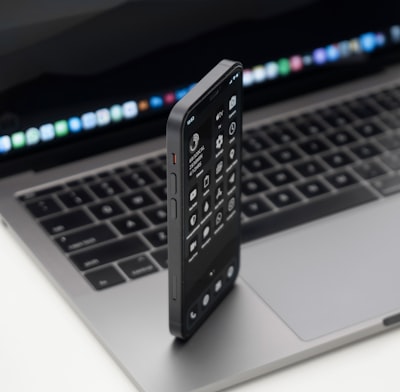
One such alternative is turning your own mobile phone into a remote control for your PC, using only your local Wi-Fi network, with no cloud infrastructure required. The architecture is surprisingly simple: a Node.js agent running on the Windows machine and a progressive web app (PWA) installed on the phone. They communicate via WebSocket for commands and an MJPEG stream for real-time screen viewing. No accounts to create, no subscriptions, no data leaving your home.
The first technical challenge when developing a remote keyboard from a mobile device is how touch devices handle input. Traditional keydown events fail because the mobile OS applies autocorrect, swipe typing, and IME composition. The solution is to stop listening to keys altogether and instead treat a hidden text field as the source of truth. Every time the field content changes, the difference from the previous state is computed and a clean instruction is sent: 'delete these characters and type this string.' The PC receives exactly what the user intended to write, without interference from the corrector.
For screen transmission, many would choose WebRTC, but its signaling complexity and dependencies make it overkill for local use. Instead, MJPEG streaming via multipart/x-mixed-replace offers perfectly acceptable latency for clicking on a specific point. The phone renders a local predictive cursor that moves instantly with the finger, while the real PC cursor updates underneath this overlay. Perceived latency disappears because the user interacts with their own virtual cursor.
Security is critical when giving a web page the power to send commands to the operating system. A 256-bit random token is generated at first run, embedded in the QR code scanned to pair the phone. Every WebSocket command must authenticate within three seconds or the connection is dropped. Destructive actions like shutdown or restart require explicit confirmation and have a grace period that allows cancellation with a single tap. These cybersecurity measures ensure even an accidental tap has no serious consequences.
Remote access from outside the home usually means opening router ports or using cloud relay services — both undesirable. The chosen solution automatically detects if the machine has a Tailscale or WireGuard interface. If so, a second QR code is generated with the tailnet URL, and the PWA can switch to that address with one tap. WireGuard provides end-to-end encryption, and Tailscale handles magic DNS and HTTPS certificates, making the PWA installable from anywhere without any infrastructure of your own.
At Q2BSTUDIO we apply this same philosophy of intelligent, minimalist, and secure design in all our custom software projects. We know that off-the-shelf solutions don't always fit every organization's specific needs. Sometimes it is better to build a system from scratch that respects privacy, is easy to maintain, and doesn't depend on third parties. Artificial intelligence (AI) can also be integrated to predict user actions and automate responses — for example, pausing playback when the phone approaches the PC. AI agents combined with cloud services like AWS or Azure can scale these features to enterprise environments where mass remote control is required.
Beyond home entertainment, this approach has professional applications: allowing a technician to control industrial equipment from a tablet without exposing sensitive data, or facilitating remote training by showing the instructor's screen in real time. With tools like Power BI you can even monitor usage statistics — how much time the user spends in each application, which commands are repeated most— and optimize workflows. The combination of remote control, data analysis, and automation is part of the digital transformation we drive at Q2BSTUDIO.
In short, turning your mobile phone into a remote control for a Windows PC without relying on the cloud is not only possible but also safer, faster, and more customizable than any commercial solution. We invite you to try this approach at home or in your company, and if you need an implementation tailored to your processes, our development team is ready to help.