
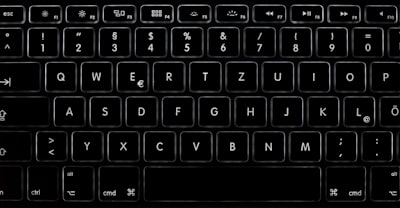
In today's content creation ecosystem, how keyboard interaction is visualized can make the difference between an amateur tutorial and a professional-grade production. Whether demonstrating shortcuts in a programming course, analyzing typing speed in streams, or reviewing a new mechanical keyboard, visual clarity is essential. However, creators often face technical limitations such as awkward camera angles, reflections, background noise, or lack of precision. The solution does not necessarily lie in expensive equipment, but in developing intelligent applications that simulate and enhance the experience. This is where companies like Q2BSTUDIO, specialized in custom software development, offer tools and services that transform audiovisual production.
The main challenge with traditional keyboard demos lies in physical capture. Placing a camera over the keyboard requires proper support, good lighting, and rigorous audio control to prevent key sounds from overpowering the voice-over. Moreover, the perspective is often limited: viewers cannot always identify which finger presses each key, especially in close-ups. Digital keyboard simulators have gained popularity to address this. They display a 3D representation of the keyboard on screen, with hand animations, highlighted pressed keys, and multiple visual themes. However, not all simulators cover each creator's specific needs. Therefore, having a customized solution, developed by experts in custom applications, can make a significant difference. Q2BSTUDIO has worked with creators to design interfaces that integrate seamlessly with their recording workflows, offering options such as real-time synchronization, full-screen modes, and brand customization.
Beyond basic simulation, the integration of artificial intelligence (AI) is redefining content production. For example, AI agents can automatically analyze typed text and suggest animations or transitions. They can also generate subtitles in multiple languages or detect writing patterns to provide live performance statistics. Q2BSTUDIO develops AI-based systems that automate repetitive tasks, allowing creators to focus on content. Likewise, cybersecurity is a critical aspect when handling user data or integrating cloud services. Keyboard simulation applications that store configurations or connect to streaming platforms must comply with high security standards. Q2BSTUDIO offers cybersecurity services to audit and protect these applications, ensuring sensitive information remains secure.
Cloud infrastructure also plays a key role. When implementing keyboard simulators in web or desktop environments, it is advisable to use cloud services like AWS or Azure to ensure scalability, availability, and low latency. Q2BSTUDIO has experience with cloud AWS/Azure, helping companies and creators deploy robust applications that support thousands of concurrent users without performance loss. Furthermore, data analytics is essential to understand how viewers interact with content. With Business Intelligence (BI) tools like Power BI, it is possible to measure tutorial effectiveness, viewing time, or most used keys. Q2BSTUDIO implements BI / Power BI solutions that allow creators to make informed decisions about their content strategy.
For a creator aiming to produce professional keyboard videos, the ideal workflow combines high-quality simulation software with a solid technological infrastructure. First, select a digital keyboard model that matches the real device (laptop, mechanical, etc.). Then, customize the appearance with themes that reflect brand identity. Enable features like hand animation and real-time synchronization. Finally, record in full screen while narrating. But if the creator needs specific functionalities — such as support for non-standard keyboards, integration with OBS, or live statistics — the most efficient approach is to opt for custom development. Q2BSTUDIO offers consulting and development of custom software / applications, tailoring each solution to the project's needs.
In the realm of artificial intelligence, AI agents can automate post-editing: for example, detecting typos in real time and suggesting corrections, or even automatically generating summarized versions of the tutorial. Cybersecurity should not be overlooked: if the simulator connects to external services, it is vital to implement encryption and authentication protocols. Q2BSTUDIO integrates security practices from the design phase, minimizing vulnerabilities. On the other hand, using cloud AWS/Azure allows storing user configurations, offering hot updates, and scaling under demand spikes. And with Power BI, creators can visualize engagement metrics that help refine their content.
Technological evolution has also brought improvements in user experience. Modern simulators are no longer simple overlays; they offer 3D models with dynamic lighting, realistic textures, and fluid hand animations that mimic natural typing posture. Q2BSTUDIO employs machine learning techniques to train movement models that adapt to different typing styles, achieving pinpoint accuracy in representation. Additionally, integration with streaming tools like OBS is increasingly seamless, allowing capture of the simulator window without quality loss. For creators seeking total control, developing a custom application is the most viable option. Q2BSTUDIO designs these systems from scratch, incorporating AI modules for writing analysis, BI dashboards for live metrics, and cybersecurity layers to protect data.
Another relevant aspect is brand customization. A creator may want the simulated keyboard to display their logo, corporate colors, or even personalized sounds. With generic software this is often limited, but through custom development any requirement can be implemented. Q2BSTUDIO has helped educational and tech channels create unique experiences that reinforce their visual identity. The versatility of cloud services also allows syncing these themes across multiple devices, facilitating team production.
Finally, it is important to consider the return on investment that these improvements bring. A video with clear and attractive keyboard visualization retains viewer attention better, reduces eye strain, and improves understanding of complex concepts. This translates into higher viewing time, more subscribers, and ultimately a more successful channel. Q2BSTUDIO, with its expertise in custom applications, AI, cybersecurity, cloud, and BI, provides creators with the necessary tools to make that qualitative leap. It is not just about simulating a keyboard, but about building a technological ecosystem that enhances every aspect of content production.


