The recent appearance of the SecureBoot folder in Windows 11 after the cumulative update of May 2026 has raised questions among users. Although its name may suggest a firmware security component, this folder is actually a mechanism designed by Microsoft to manage the transition of secure boot certificates that expire in June 2026. Far from being an error or malware, its presence is completely legitimate and necessary to maintain system integrity. This article explains in detail what it is, why you should not delete it, and how it relates to modern cybersecurity strategies, including solutions that companies like Q2BSTUDIO offer to protect critical infrastructures.
To understand the origin of the folder, we must go back to how Secure Boot works. This is a security standard embedded in UEFI firmware that verifies the digital signature of any software that tries to run during system startup. If a driver, bootloader, or kernel lacks a valid signature from a trusted authority (such as Microsoft or the device manufacturer), the system simply does not load it. This protects against rootkits and bootkits that attempt to infiltrate before the operating system takes control. To ensure that devices remain protected, Microsoft periodically renews the root certificates used by Secure Boot. Certificates issued before 2011 will expire in June 2026, and to facilitate a mass update, Microsoft introduced the SecureBoot folder at C:\Windows\SecureBoot via patch KB5089549.
The folder contains seven sample PowerShell scripts designed primarily for system administrators in enterprise environments. Their purpose is to check the status of Secure Boot certificates, download new ones, and apply them automatically or semi-automatically on managed devices. For home users, these scripts are unnecessary because Windows Update handles distributing the new certificates. However, in organizations with dozens or hundreds of computers, having standardized tools is crucial to ensure the entire fleet is updated before the deadline. This is where having a technology partner like Q2BSTUDIO adds value, offering cybersecurity services to audit and manage such transitions, minimizing exposure risks.
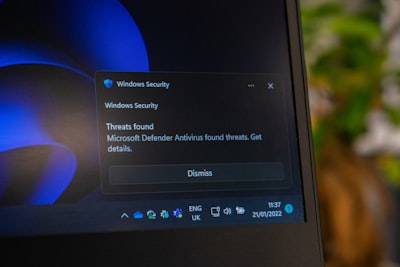
One common question is: 'Is the SecureBoot folder a virus?' The answer is a definitive no. It is an official addition from Microsoft, created through Windows Update, and deleting it can cause errors in future updates because the system may look for the scripts to complete the certificate renewal process. Moreover, removing it discards tools that could be useful if you decide to manually manage your device or network security. The expert consensus is to leave it intact and let the system handle it. Its size is minimal (just a few kilobytes) and does not affect performance. If the folder disappears on its own in future updates, there is no need to worry: Microsoft might automatically remove it when it is no longer needed, and if required, it would regenerate itself.
From a technical perspective, the appearance of the SecureBoot folder reflects how Microsoft is anticipating a global security problem. The expiration of 2011 certificates affects millions of devices, especially older hardware that still supports UEFI but has not received recent updates. If a device uses Secure Boot with an expired certificate, secure boot could fail or, worse, become disabled, exposing the system to low-level attacks. Therefore, transitioning to the new certificates (issued in 2023) is a priority. Companies managing multi-OS infrastructures, including hybrid cloud environments, must pay special attention to this change. In this context, services like AWS and Azure cloud offered by Q2BSTUDIO allow migrating workloads to environments where boot security is already guaranteed by the provider, simplifying certificate management and reducing attack surface.
The SecureBoot folder also reminds us of the importance of automation in managing security updates. In enterprise settings, relying on manual processes to update hundreds of devices is inefficient and error-prone. Therefore, process automation tools are essential. Q2BSTUDIO develops custom software solutions that integrate PowerShell scripts, group policies, and artificial intelligence agents to monitor Secure Boot status and apply patches proactively. Additionally, they combine these capabilities with Business Intelligence (Power BI) systems to generate dashboards showing the security compliance level across the organization, enabling administrators to make informed decisions.
Another relevant aspect is Secure Boot's relationship with alternative operating systems, such as some Linux distributions. Although most popular distros are now compatible with Secure Boot, in the past it was necessary to disable this function in the BIOS to boot a system not signed by Microsoft. This created a trade-off between security and flexibility. Microsoft has evolved its stance and now allows manufacturers to include third-party keys, facilitating coexistence. However, the need for UEFI support and GPT disk format remains a requirement. For companies working with multiple platforms, having a technology partner that understands these complexities is key. Q2BSTUDIO, as a software and technology development company, offers artificial intelligence consulting and AI agents that can automate the detection of incompatible configurations and recommend corrective actions, all integrated with cloud services.
For the home user, managing the SecureBoot folder is practically nonexistent. The only thing you need to do is ensure Windows Update is enabled and up to date. If you are an advanced user and want to verify your device status, you can open msinfo32 and check that BIOS mode is UEFI, secure boot is enabled, and TPM 2.0 is present. Do not touch the folder. However, if you are a system administrator, you can run the PowerShell scripts it contains to audit certificates across all devices on your network. Q2BSTUDIO recommends integrating these scripts into an automated workflow that also includes log monitoring and real-time alerting, facilitating response to any incidents before the June 2026 deadline.
In conclusion, the SecureBoot folder in Windows 11 is not a suspicious element but another piece in the modern security puzzle. Its existence responds to the need to renew certificates that protect system boot, and deleting it would only cause problems. For businesses and professionals looking to keep their infrastructures secure and efficient, having specialized services like those offered by Q2BSTUDIO in custom software development, cybersecurity, cloud computing, artificial intelligence, and business intelligence is a strategic investment. They not only facilitate managing changes like this one but also allow anticipating future threats. So next time you see the SecureBoot folder on your disk, remember: do not delete it, trust that it is there to protect you, and if you need help managing your organization's security, there are experts ready to support you.