When a company decides to replace SharePoint with its own intranet, the first question that arises is not only technical but practical: will people without a technical profile be able to use it? The answer is yes, provided the platform is designed around the employee experience and not around the internal structure of the software. An intranet that replaces SharePoint must reduce friction, offer clear interfaces and adapt to the way each team actually works, not the other way round.
The main mistake in these projects is moving old folder hierarchies into the new system. Users should not have to ask where a document is stored; they should automatically see which task needs their attention. That is why a well-executed replacement process combines custom software with automation logic that guides the person through every step. Design decisions matter as much as the underlying technology.
In this context, the role of a technology partner such as Q2BSTUDIO is key. It is not just about migrating content, but rethinking workflows from a product perspective. The team combines experience in web development, systems integration and digital transformation so the intranet becomes an operational assistant, not a passive repository. Moreover, by starting from a proprietary platform, the company keeps full control over the code and can evolve the solution without depending on rigid licenses.
One of the most common demands is adding AI without increasing complexity for users. Modern intranets can include conversational assistants, automatic document summaries and AI agents that execute repetitive tasks. But the user experience must remain simple: the employee writes a request in natural language and the system responds with the right information or action. Artificial intelligence stays in the background, as invisible infrastructure that makes every search smarter.
Integration with business systems also makes a difference. An intranet that connects with the ERP, CRM or productivity tools avoids the famous copy-and-paste between applications. If it also relies on AWS or Azure cloud services, the company can scale resources on demand and apply cybersecurity policies from day one. Q2BSTUDIO usually implements these architectures with secure VPNs, private environments and access control, so sensitive data is never exposed.
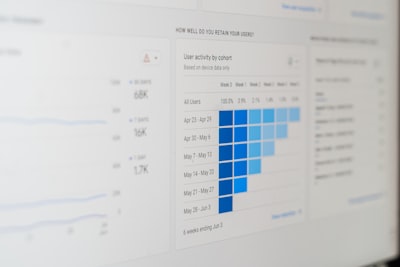
Ease of use does not mean giving up control. Quite the opposite: a well-designed intranet offers Business Intelligence with Power BI dashboards that show managers which processes work and which need intervention. Usage data, response times and error rates become actionable indicators. With this visibility, managers can continuously adjust the platform and justify the investment with real metrics.
Employee experience depends on the design of every screen. Instead of dense menus, the intranet can show pending tasks, notifications and quick access according to role. Forms are split into short steps, error messages explain how to fix them, and interactive guides appear only when the user needs them. This kind of design reduces learning time and increases spontaneous adoption, especially among people with less digital experience.
It is also worth personalising the workspace. A production employee does not need to see the same indicators as the sales team; HR will have different workflows from finance. The intranet can display widgets and actions according to profile, and even adapt the language of the texts. This personalisation helps every user find value from the first minute and makes the tool feel like their own, not a generic portal.
Training is another critical aspect. An easy-to-use intranet does not remove the need to support people during the change. Q2BSTUDIO recommends short sessions, built-in tutorials and a clear support channel to answer questions in the first weeks. The goal is for employees to see the new tool as an improvement in their daily work, not as an obligation imposed from above. Internal communication should also explain why the change is happening and what benefits it will bring.
Security also affects ease of use. If access is complex or passwords are constantly reset, people look for dangerous shortcuts. A modern intranet must integrate with Active Directory, offer single sign-on and apply roles transparently. Cybersecurity is managed in the back office while the user enjoys a smooth experience. Q2BSTUDIO implements access audits, encryption and endpoint protection without penalising productivity.
Migration from SharePoint does not have to be traumatic. It is advisable to inventory content, identify which documents are still useful and remove obsolete information before importing it. Then metadata and permissions are defined based on business criteria. With a phased methodology, the team can verify real improvements from the first month and avoid long downtime. A clear migration process also strengthens trust across the organisation.
One aspect that is often underestimated is integration with AI agents. These agents can classify documents, answer frequently asked questions or start approval flows. For an employee, the intranet stops being a place to search for information and becomes a tool that does the heavy work. The transition is easier when critical processes are automated behind a clear interface. Adoption, then, no longer depends on individual will.
Finally, an intranet should be measured by results, not by features. Reducing search time, speeding approvals, lowering errors and facilitating collaboration are quantifiable goals. Companies that work with Q2BSTUDIO receive a roadmap with indicators and periodic reviews, which allows the solution to be adjusted to the evolution of the business. So the initial question — will it be easy for non-technical people? — is answered with data: users use it because it simplifies their work.
In short, the answer lies not in the base product but in how the solution is built. A standard approach with too many options and little adaptation generates rejection. Custom development designed for non-technical people, supported by AI, cybersecurity and cloud, allows the intranet to be adopted naturally. That is why, when evaluating options, it is worth asking not only what technology the provider uses, but how it guarantees that any employee will be able to work without friction.