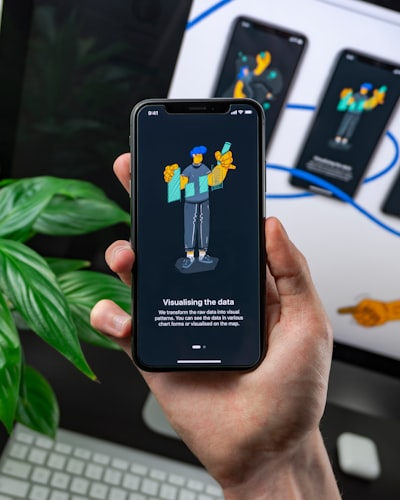
The question of whether an intranet replacing SharePoint can really be mobile-compatible is showing up more and more often in executive discussions. It's not just about adapting a screen; it's about rethinking how people access documents, approve flows, and consult metrics in an environment no longer tied to an office. A modern intranet must be as useful on a phone as on a desktop, and that requires architecture, security, and user experience decisions far beyond installing a template.
The source of this doubt is understandable. Many organizations have lived for years with legacy portals designed for desktop computers that offer a poor experience on mobile. When considering an intranet replacing SharePoint, IT leaders are not only looking to modernize technology; they want teams to act from anywhere, with the same data and the same security they would have in the office. Mobility has become a working condition, not a privilege.
Mobile compatibility does not depend only on responsive design. An intranet must offer a clear information hierarchy, accessible action buttons, and forms optimized for fingers, not a mouse. This means rethinking approval flows, notifications, and dashboards. If an employee needs to zoom in to read a document, or if the approve button is off-screen, the intranet is not mobile. The experience must be equivalent, not a reduced version.
This is where progressive web apps and native applications come into play. A PWA makes it possible to work offline, sync when there is a connection, and receive push notifications without necessarily going through an app store. For many companies, this solution combines the best of both worlds: the speed of an app and the flexibility of a website. However, each client's context must be evaluated, because a sales team needing offline access to catalogs is not the same as a production plant with fixed tablets. The decision should be based on the users' real work, not on an abstract technological preference.
Security is the pillar that supports any mobile intranet. By allowing access from personal devices or external networks, the attack surface grows. Therefore, a cybersecurity strategy must include multi-factor authentication, role-based access control, audit logging, and, in sensitive environments, connections through VPN or private endpoints in Azure. Q2BSTUDIO integrates these elements from design, not as an afterthought. Every device, network, and session must be auditable with the same rigor as a fixed workstation.
Architecture also shapes the mobile experience. Deploying an intranet in the cloud with cloud services on AWS and Azure makes it possible to scale smoothly, apply backup policies, and deliver low latency across countries. But the cloud is not enough: it is worth choosing custom software development that takes into account each company's specifics. A standard solution tends to impose its own rules, while a custom application can adapt to the real processes of onboarding, knowledge management, and automation. The cloud also makes maintenance and continuous evolution easier.
Artificial intelligence multiplies the value of a mobile intranet. An AI-based assistant can summarize documents, find answers in internal repositories, or draft replies. AI agents go one step further: they don't just answer; they execute tasks such as logging time, updating a CRM, or requesting a signature. Q2BSTUDIO designs these agents with human oversight and an administration portal so the business team controls costs and instructions without relying on engineering every time. AI stops being an experiment and becomes an everyday work tool.
Another critical aspect is visibility. A mobile intranet should show activity indicators, resolution times, and bottlenecks. This is where business intelligence fits. A portal with BI/Power BI reports lets executives see in real time which flows are working and which need adjustment. Employees, for their part, receive only the information relevant to their role, reducing noise and increasing productivity. When data is available on mobile, weekly follow-up meetings become much more concrete conversations.
Integration with existing systems is another factor that turns an intranet project into a strategic initiative. Many companies don't want to remove SharePoint, Teams, or Active Directory; they want to connect them to the new intranet. An API integration layer allows syncing data with SAP, Odoo, Salesforce, or Microsoft Dynamics. In this way, the intranet stops being one more repository and becomes the company's digital operations hub. Mobility also extends to those systems, because they can be consulted and updated without duplicating information.
The implementation methodology should also be designed for mobile. Q2BSTUDIO starts with a discovery phase to map flows, identify real needs, and define baseline metrics. Then it develops an MVP in four to eight weeks and tests it in field scenarios, with real users and varied devices. This makes it possible to validate whether notifications arrive correctly, whether forms are comfortable, and whether offline sync works before scaling to the rest of the organization. Field adjustment is as important as technical design.
Business results go beyond employee satisfaction. When a mobile intranet works, approval cycles speed up, manual work drops, and information is no longer scattered across emails and local files. In Q2BSTUDIO projects, it is common to see teams recover hours each week and management gain a much more precise view of bottlenecks. Depending on scope, return on investment typically appears before the end of the first year.
In short, the mobile compatibility of an intranet replacing SharePoint is not an aesthetic extra. It is a business requirement that affects security, architecture, artificial intelligence, and people's experience. If your company is evaluating this kind of project, Q2BSTUDIO can help define a realistic roadmap, with a pilot in weeks and a design centered on field work. Mobility should not be a promise; it should be a verifiable feature from day one.