Is it really easy for non-technical staff to adopt a corporate application? The question seems simple, but the answer has nuances. Many companies assume a modern interface is enough for any employee to use it without difficulty. In practice, ease of use comes from architecture decisions, user-centered design, and ongoing validation. It is not a decorative extra; it is a structural property of software.
Generic applications usually show the user dozens of options that have nothing to do with their daily work. A salesperson does not need to configure catalogs, and a warehouse operator should not have to understand invoicing rules. When a tool does not distinguish roles, non-technical staff face an unnecessary learning curve. That is why business app development must begin by defining what each person does, what data they work with, and what decisions they must make. Only then can a transparent experience be achieved.
In that sense, user experience design is a strategic discipline. It is not about colors or typography, but about reducing cognitive load. A tired employee or one with limited digital training needs to recognize in seconds what the next action is. If the application forces them to memorize routes, browse long menus, or decipher internal codes, the cost of change will be high. Staff value consistency: the same buttons for similar actions, clear criteria, and messages that explain what happened and why.
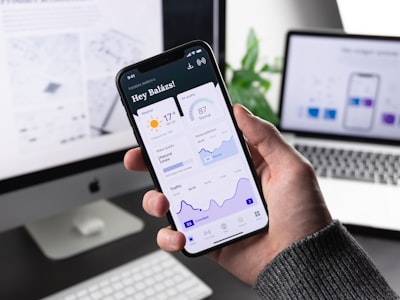
A good practice is to build personalized workspaces by role. Each user sees the tasks that correspond to them and the indicators of their area. Behind that apparent simplicity lies permission management and business logic. The goal is for the tool to think on behalf of the user, not for the user to think about how to use the tool.
It is also useful to include assistants that guide complex processes. A long form can be broken into logical steps with immediate validation. If something is not filled in correctly, the system warns at that moment. This type of feedback reduces errors and prevents staff from having to consult manuals. Even training modules can be embedded in the application itself: interactive tours, demo modes, and contextual examples allow learning by doing, without requiring previous courses.
Another key aspect is accessibility. Business solutions must be usable by people with different abilities. Good color contrast, clear labels, support for screen readers, and keyboard navigation are not optional requirements. They make access easier for everyone and improve the overall experience. A company that wants diverse teams needs inclusive applications from the very start.
Behind this simple facade lies the real complexity: integrations, security, and scalability. An easy application can connect to the ERP, CRM, or historical databases. For the user, that means not having to copy data from one screen to another or maintain parallel spreadsheets. However, for the technical team it means designing secure APIs, reliable synchronization, and audit mechanisms. Visible ease requires a high level of invisible engineering.
This is where custom software comes in. Starting from a standard product forces the company's processes into a prefabricated logic. Non-technical staff notice the difference in everyday actions: an application that uses their own terms, anticipates their exceptions, and shows information in the order they process it. Custom software removes layers of interpretation because it is built around people and the real workflow.
Artificial intelligence adds another layer of assistance. AI agents can anticipate the next task, suggest replies to an email, classify incidents, or detect patterns that reveal an error before it occurs. For a user without a technical profile, a conversational assistant that responds in natural language is one of the best examples of ease. That said, AI must be explainable: the tool must make it possible to know why it recommends something and always offer a manual alternative. Trust is built when the user understands that they remain in control.
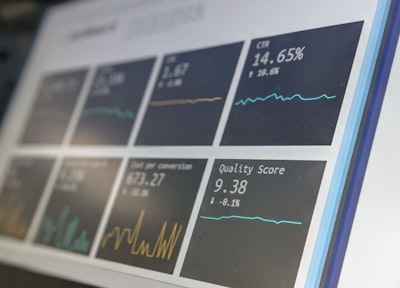
Business intelligence is another pillar. With a BI/Power BI solution, non-technical staff can consult indicators without depending on the IT department. But the real value lies in how it is presented: you do not need to master analytics to see that an order is being delayed or that a production line is losing performance. Dashboards can be adapted to each role and display alerts in clear language. This decentralizes decision-making and makes it much more agile.
The technology layer that supports this simplicity usually lives in the cloud. Using AWS/Azure cloud services allows staff to access applications from anywhere, without complicated installations. In addition, the infrastructure can scale with demand and ensure business continuity. For the non-technical employee, working with an application backed by AWS/Azure is as simple as opening a browser; the complexity of servers, backups, and load balancing is completely hidden.
We cannot talk about ease without mentioning cybersecurity. An application can be very intuitive, but if it demands impossible passwords, long recovery processes, or frequent locks, people will look for shortcuts. Modern cybersecurity must be invisible: single sign-on, adaptive verification, role-based permissions, and protection of data at rest and in transit. When the system validates the user in the background and only asks for confirmation when essential, ease does not conflict with security. On the contrary, security becomes an enabler.
Q2BSTUDIO, as a software and technology development company, applies this approach to every project. Before writing code, it studies processes, frustrations, and real usage scenarios. Then it builds interactive prototypes that employees can test in their own context. These user experience tests generate valuable information: where they hesitate, what questions they ask, what steps they skip. The result is not a pretty screen, but a solution that people understand almost without instructions.
Training, in this environment, stops being a mandatory course. It becomes continuous support. A good system generates contextual tutorials, useful error messages, and recovery flows that do not punish the user. It also provides data to administrators: which modules are used less, which processes generate more incidents, and what response times the team has. With that information, the application improves permanently.
What metrics prove that business app development is easy for non-technical staff? The adoption rate is the first. Then come operational indicators: average time to complete a task, number of support calls, data errors, and employee satisfaction. If an application is not used, all the invested budget is lost. That is why measuring experience is not a luxury; it is an essential part of software governance.
Ultimately, is it easy for non-technical staff? Yes, when business app development is approached as an integral project. It is not about putting a friendly interface over a rigid system. It is about understanding the person, modeling the process, choosing the right architecture, integrating data, and protecting it transparently. Q2BSTUDIO accompanies organizations on that journey, combining current technology, user experience, and business vision. Thus, ease of use is not a marketing promise, but a measurable characteristic of software.