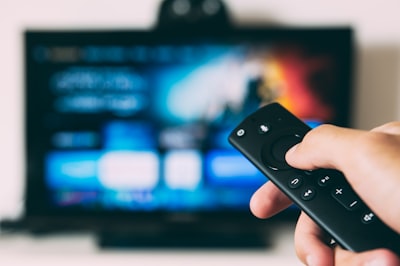
When I bought my Fire TV, I plugged it in, went through the initial setup, and assumed the sound would be fine. I couldn't have been more wrong. For weeks, movies sounded flat, dialogue got lost between effects and music, and any action scene was grating. I tried external speakers, swapped HDMI cables, even considered returning the device. Until I decided to dig deep into the settings menus. There I discovered four adjustments that completely transformed the audio experience. If your Fire TV sounds bad, the problem isn't the hardware; it's the options you left on default.
The first critical setting is the audio output format. By default, Fire TV usually sets itself to 'Auto.' This sounds good in theory, but in practice it forces the device to constantly negotiate with the TV or soundbar. The result: unnecessary compression and loss of nuance. I recommend changing it to 'PCM' if you're using only the TV speakers, or to 'Dolby Digital' if you have an external sound system. The difference is immediate: more clarity in mid frequencies and tighter bass.
The second setting involves volume leveling. Fire TV includes a feature called 'Dynamic Volume' that compresses the dynamic range so whispers and explosions sound at the same level. This is useful in noisy rooms, but it ruins cinematic immersion. Disable it from Settings > Audio > Dynamic Volume. You'll notice that quiet scenes regain their intimacy and loud bursts their real impact.
The third setting affects surround sound. Many users have 'Virtual Surround Sound' enabled without knowing it. This feature tries to simulate rear channels from two speakers, but on most soundbars or 2.0 systems it creates a metallic, unnatural effect. If you don't have a true 5.1 system, disable it. Instead, enable 'Stereo Audio' or 'Multi-channel PCM' depending on your equipment. The sound becomes cleaner and more centered.
The fourth and final setting is HDMI audio passthrough. Some Fire TV models allow you to enable 'HDMI Audio Passthrough.' When activated, the device sends the raw audio signal to your receiver or soundbar, letting it decode instead. This is ideal if you have a home theater system with its own Dolby or DTS decoder. If not, leave it off. In my case, activating it with an Onkyo receiver made the opera scene in 'The Fifth Element' sound like never before.
These four changes require no extra cables or investment in new speakers. Just a few minutes in the menus. But there's a deeper lesson here: default settings rarely fit specific user needs. The same applies in the business world. Standard software solutions often fall short when faced with unique processes, particular data volumes, or complex security requirements. That's why at Q2BSTUDIO we advocate for custom software development. A generic platform might work, but one designed specifically for your business optimizes every resource, just like a few seconds of configuration on Fire TV can transform your audio experience.
Furthermore, artificial intelligence is revolutionizing how we personalize environments. Just as these settings improve sound, AI agents can analyze user behavior and automatically adapt interfaces, recommendations, or workflows. At Q2BSTUDIO we develop intelligent agents that learn from every interaction, reducing friction and increasing efficiency, similar to how Fire TV should learn from our configuration.
Cybersecurity also plays a key role. When you enable HDMI audio passthrough, you're trusting the receiver to process the signal correctly. In the digital realm, trusting systems without verifying their security is risky. That's why we offer cybersecurity services that audit every layer of your infrastructure, from cloud to endpoint. Our pentesting team identifies vulnerabilities before attackers do, ensuring your data and your clients' data are protected.
Regarding the cloud, both AWS and Azure provide scalability, but without proper configuration they can generate unnecessary costs or bottlenecks. Just as the audio format setting on Fire TV determines the quality of the stream, in cloud computing the right choice of services and architecture defines the performance of your applications. At Q2BSTUDIO we help companies migrate and optimize their cloud workloads, using BI tools like Power BI to visualize data and make informed decisions. A well-designed dashboard is like a good sound system: everything is clear and in its place.
To conclude, I reflect on the importance of not settling for default options. In both entertainment and business, small adjustments make the difference. If your Fire TV still sounds bad, try these four changes. And if your company needs software that truly adapts to its processes, remember that at Q2BSTUDIO we are ready to build the custom solution you deserve. Properly configured technology doesn't sound generic; it sounds like success.