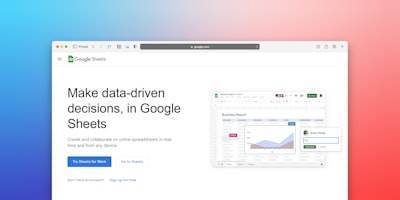
Device management in modern applications increasingly requires flexibility and the ability to sync with office tools. In this article we explore how to integrate Google Sheets for device management in tvview, a project that allows editing and synchronizing key fields like MAC, Model, and Lineup directly from a spreadsheet. This integration not only streamlines workflows but also opens up new possibilities for automation and collaboration between technical and non-technical teams.
The main challenge was enabling device administrators to make quick changes without accessing the underlying database. The ideal solution was a shared spreadsheet familiar to the support team, reflecting modifications in real time within the application. This is where Google Sheets integration comes into play, using its API and service accounts for secure, controlled access.
Implementing this functionality required configuring Google API credentials, installing the googleapis package, and developing a specialized provider, SheetsWriter, that encapsulates the write logic. Authentication is done via a service account, storing the email and private key in environment variables to avoid exposing sensitive information in the source code. This approach follows cybersecurity best practices, a critical aspect when handling device data that may be linked to critical infrastructure.
The workflow is simple: when a user updates a device from the tvview interface, the device service (device.service.ts) calls the writeDeviceFieldsToSheet function, which uses the credentials to authenticate and write to the specified spreadsheet. The key is to properly handle connection errors, API quotas, and data integrity. To this end, we recommend implementing retries and detailed logging — something Q2BSTUDIO considers essential in any custom software development.
From a business perspective, this integration offers multiple advantages. It reduces dependence on complex SQL queries, empowers business users to make changes without IT intervention, and provides a natural audit trail in the spreadsheet. It also lays the foundation for future features like bidirectional sync or automated reporting with BI tools like Power BI. At Q2BSTUDIO, we have seen how combining Google Sheets with cloud platforms like AWS or Azure allows scaling these solutions to enterprise environments with thousands of devices.
The Google Sheets integration is not without challenges. Managing API quota limits, handling expired access tokens, and ensuring data consistency under concurrent writes require careful design. Therefore, we chose an asynchronous model with write queues to minimize impact on the main application's performance. At Q2BSTUDIO, we apply these patterns in our cloud services on Azure and AWS, ensuring robustness and scalability.
Looking ahead, this integration can be enhanced with artificial intelligence. For example, AI agents could analyze spreadsheet data to detect device anomalies or suggest optimal configuration changes. The same spreadsheet could serve as a data source for a predictive failure model integrated with cloud AI services. Cybersecurity is also reinforced by centralizing access and audits, preventing data leaks through uncontrolled channels.
In summary, integrating Google Sheets for device management in tvview is a clear example of how office tools can empower enterprise applications without large investments. Q2BSTUDIO, as a software and technology development company, offers expertise in such hybrid solutions that combine custom software, cloud, AI, and cybersecurity. If your organization needs to sync device data with spreadsheets or explore other forms of automation, feel free to contact us. The key is to design an architecture that is secure, scalable, and aligned with business goals.